
Programming Workouts in FitEase
In FitEase, a Program is a collection of workouts that can be spread across multiple days. Each workout is built using rows that define the exercise, along with sets, reps, weights, rest times, and notes. This spreadsheet-style approach makes it fast and familiar to create structured training plans.
📋 Standard Programs
Standard programs use a simple, spreadsheet-style builder. Each row is an exercise, and each column defines the details for that exercise:
- Sets – how many times the exercise is performed
- Reps – number of repetitions per set
- Weight – load for each set
- Rest – recovery time between sets
- Notes – coaching cues or reminders
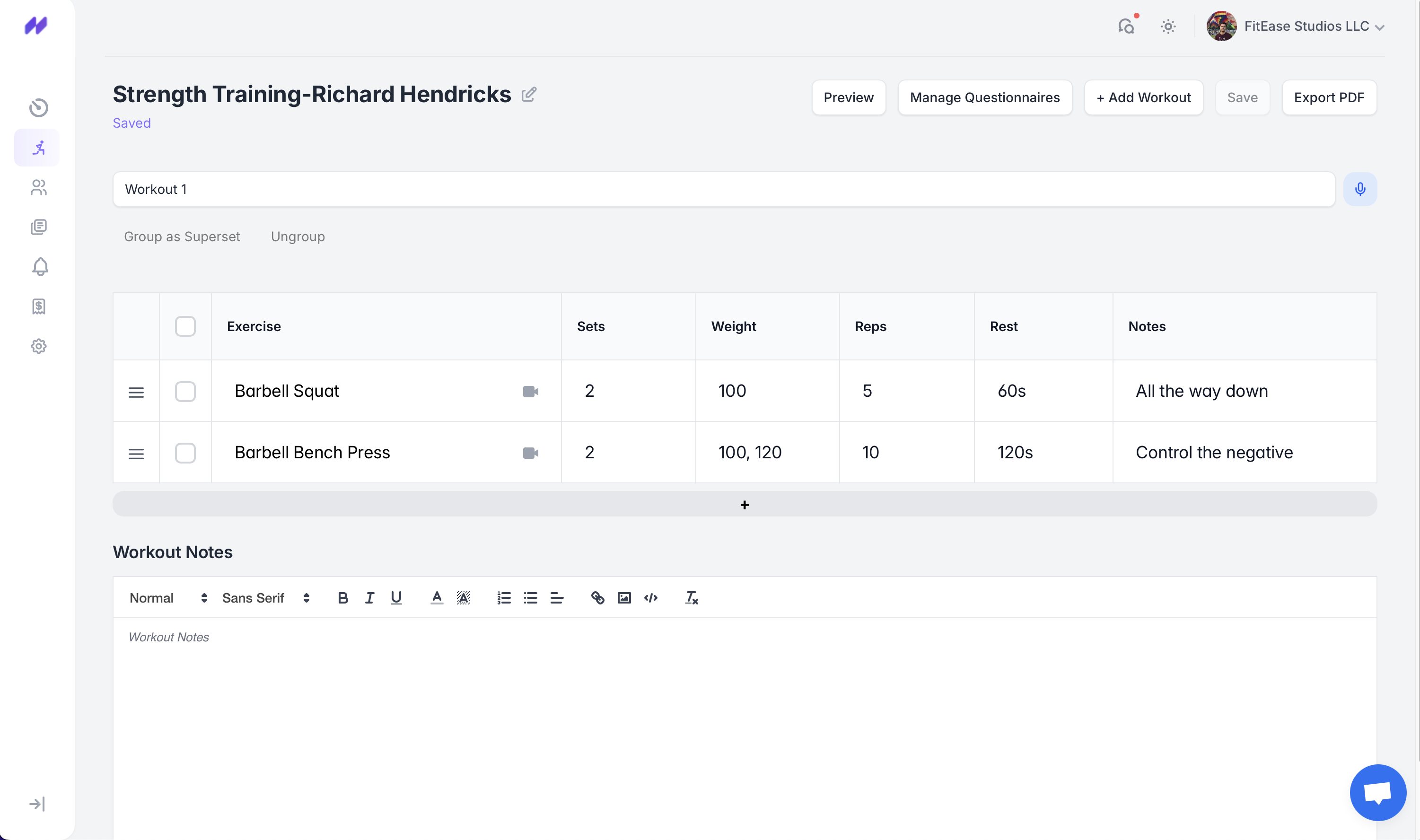
Notice how values can be comma-separated. For example, typing 100,120 in the weight column means:
- Set 1 → 100 lbs
- Set 2 → 120 lbs
The same applies to reps and rest times — each comma represents the next set’s values.
👀 Client View
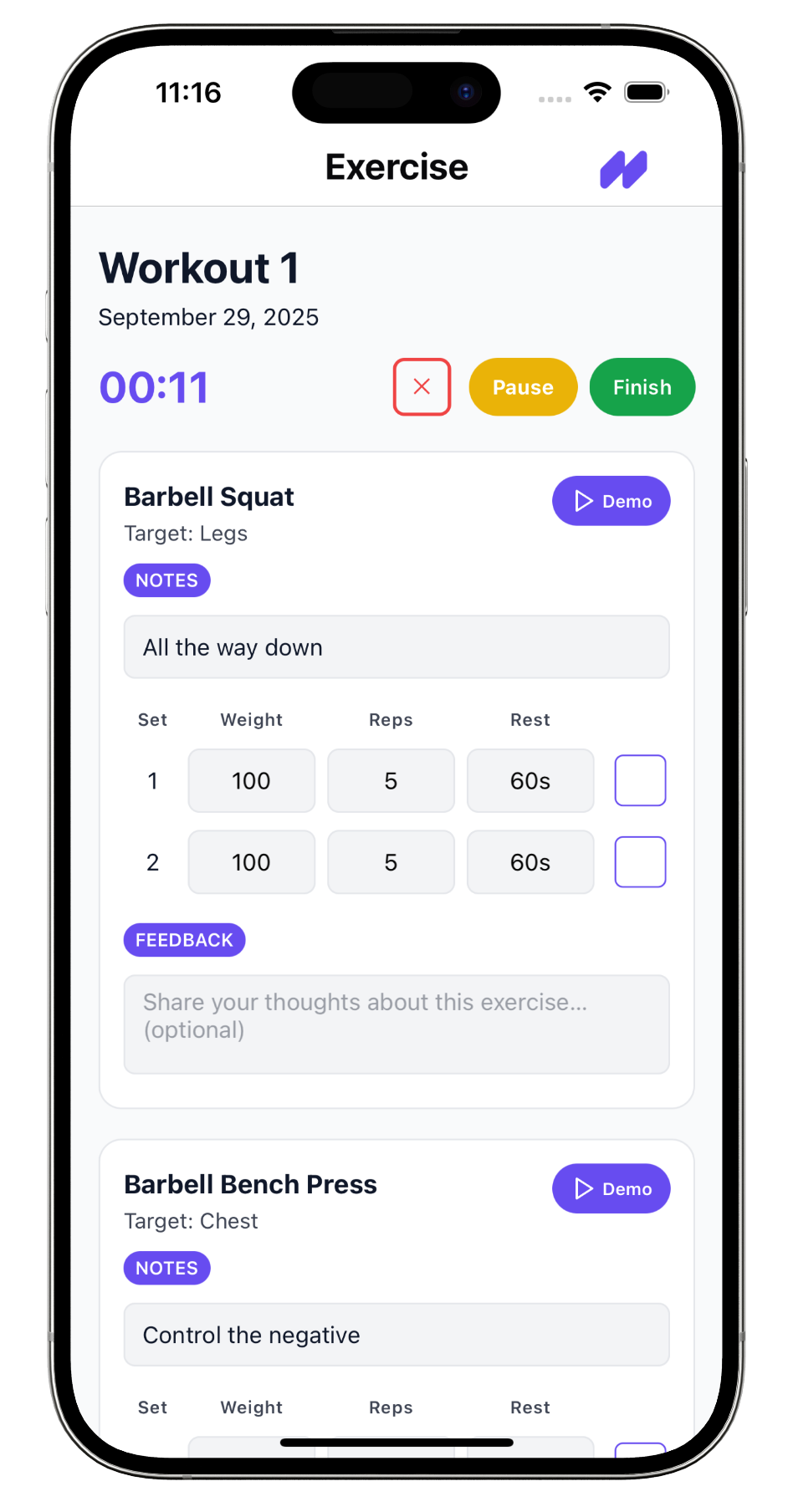
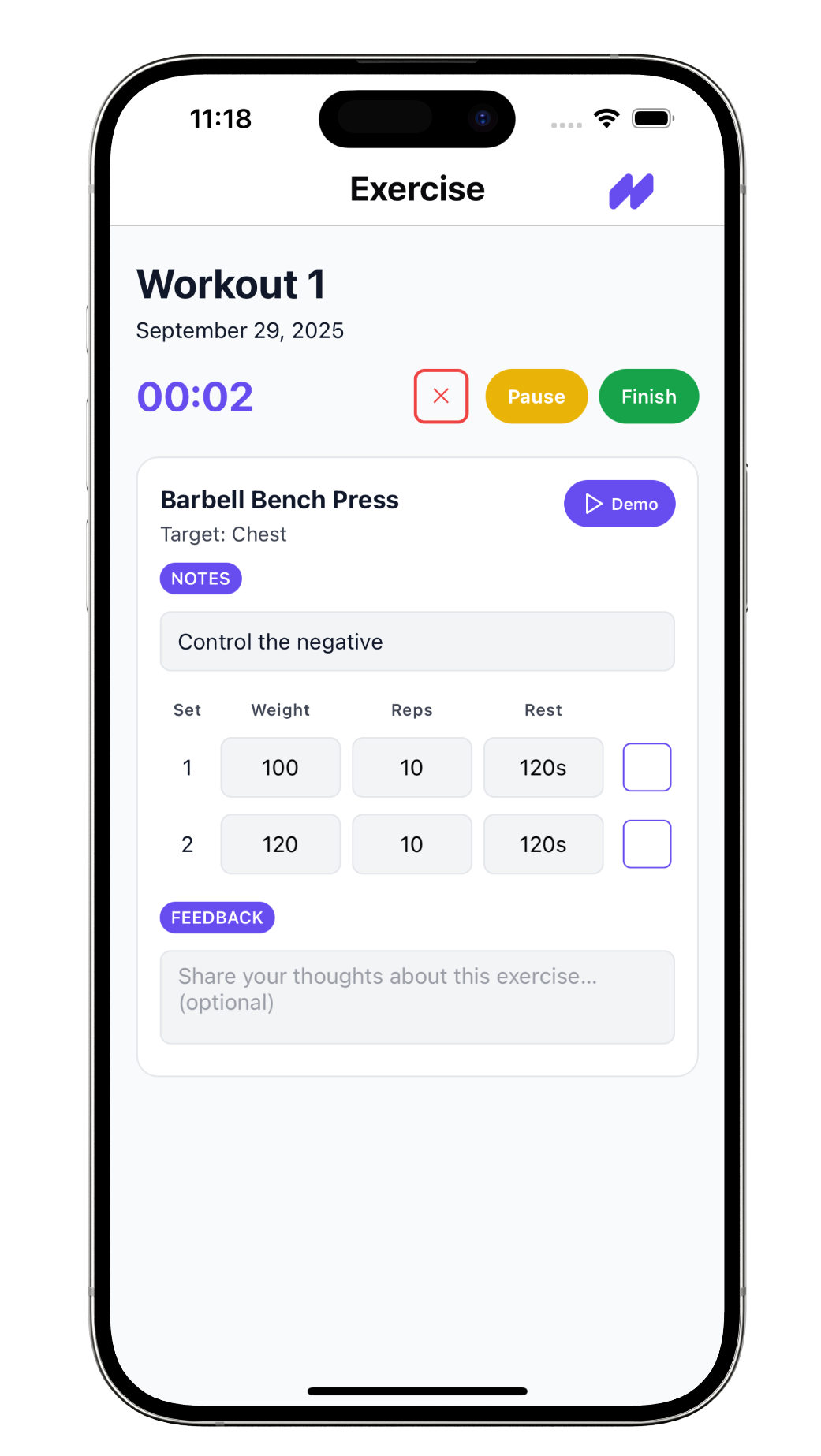
Clients see these rows as clear instructions inside their mobile app:
⚡ Flexible Programs
Standard programs cover most cases with Sets, Reps, Weight, Rest, and Notes. But sometimes you need more flexibility — like adding tempo, writing special instructions, or using cues that don’t fit neatly into numbers.
With Flexible Programs, you can swap or rename columns. For example, instead of tracking weight, you can create a Tempo column:
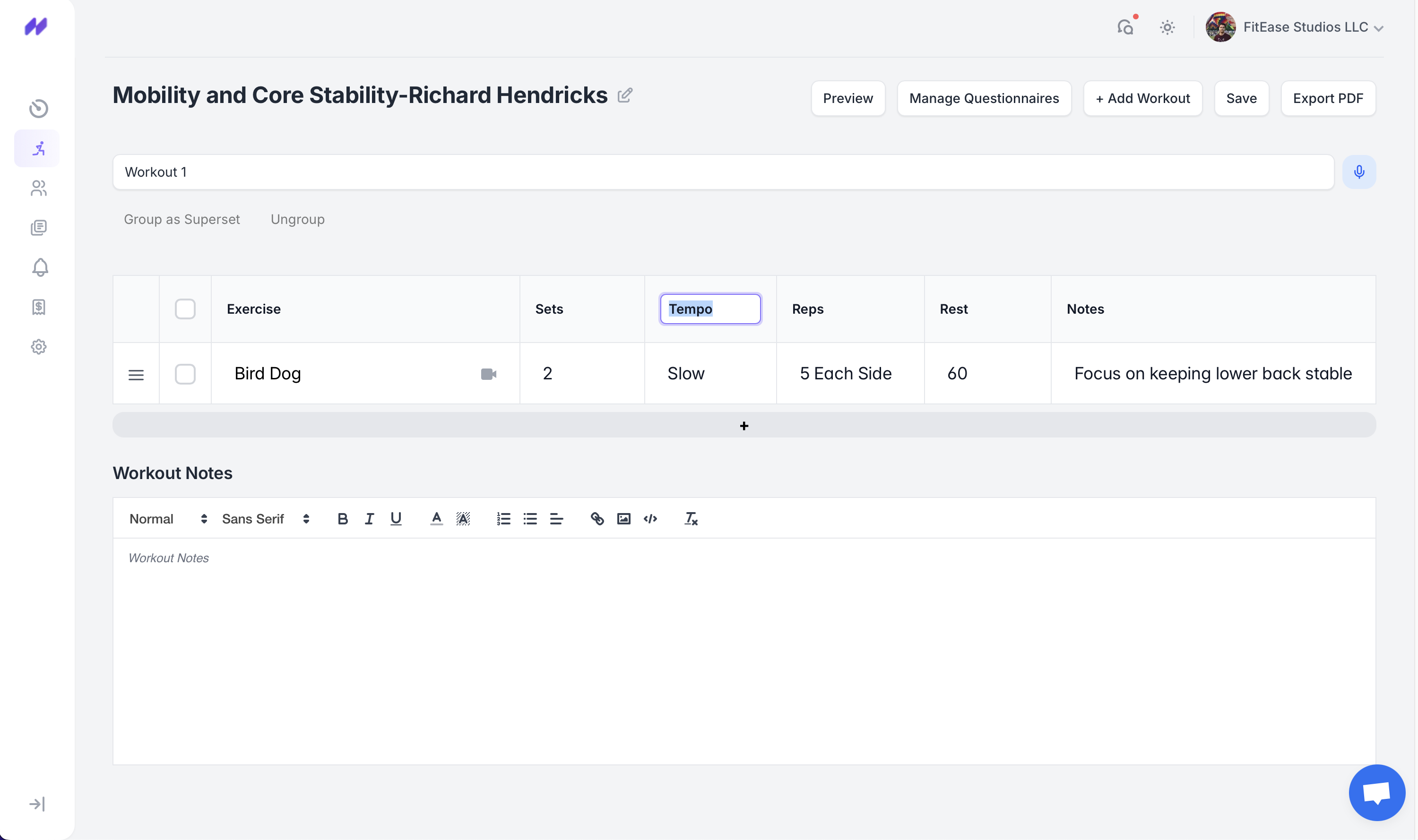
Here, the exercise Bird Dog is written with:
- Sets: 2
- Tempo: Slow
- Reps: 5 Each Side
- Rest: 60s
- Notes: Focus on keeping lower back stable
Notice that the Reps field isn’t just a number — you can write clear, coach-friendly instructions like “5 Each Side” or“10 Steps Forward”. This makes programs easier for clients to follow without needing extra explanations.
The same comma-separated rules still apply: if you want to define different values for each set, just separate them with commas. For example,Slow, Fast in Tempo would apply different pacing to Set 1 and Set 2.
🔎 Preview Anytime
At any time, tap Preview in the builder to instantly see how the workout looks in the client app. This helps confirm that sets, reps, and notes appear exactly as you intended.

📝 Questionnaires
FitEase lets you attach post-workout surveys and check-in questions to collect feedback from clients. These questions can be asked at three levels:
- Workout level → shown right after a workout is completed (e.g. “How did it feel?”).
- Exercise level → tied to a specific exercise to capture details (e.g. pain, difficulty, notes).
- Program level → triggered after the entire program is finished (e.g. overall reflections, progress check).
This makes it easy to track client progress, pain flags, and session quality without needing extra back-and-forth.
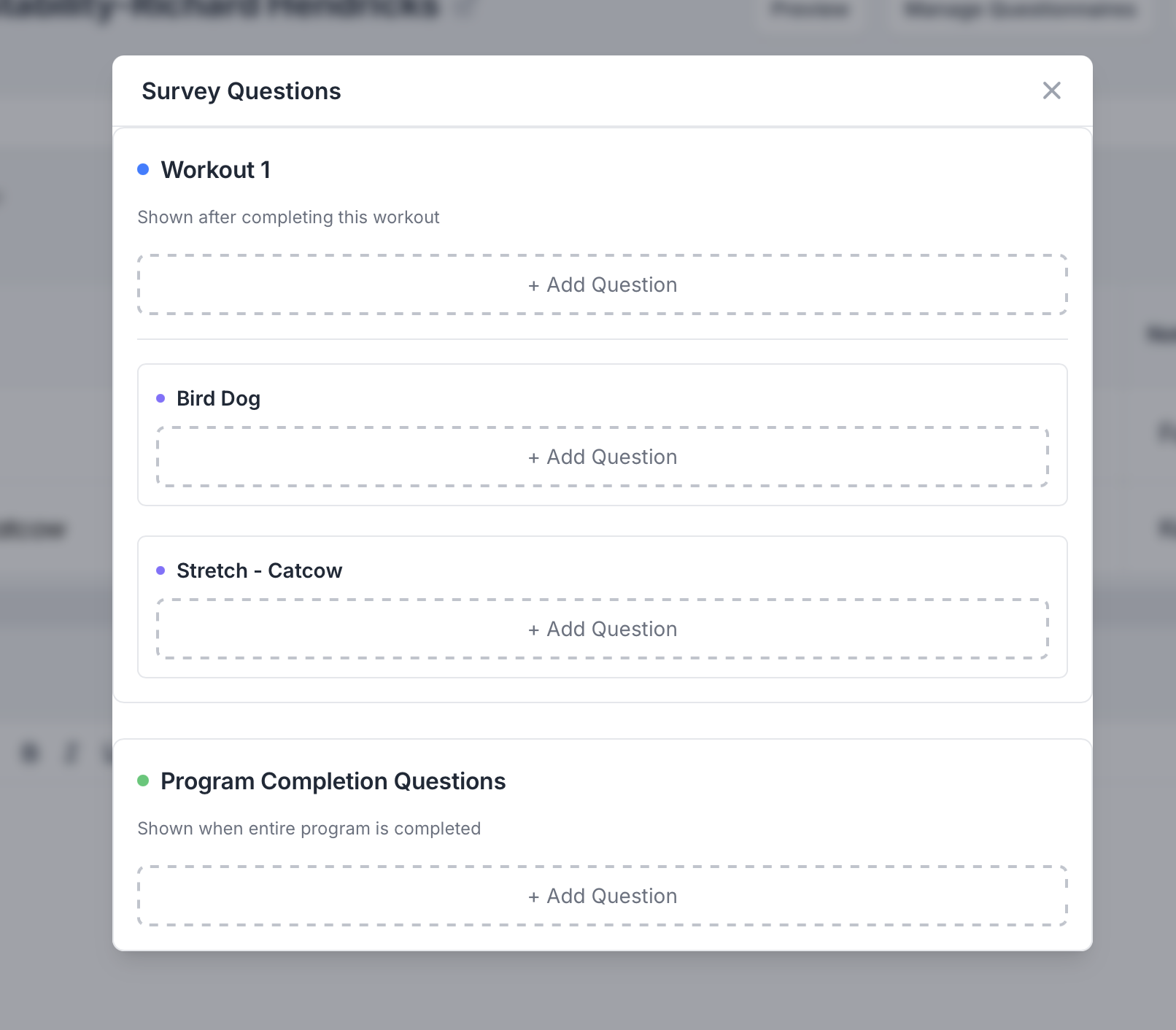
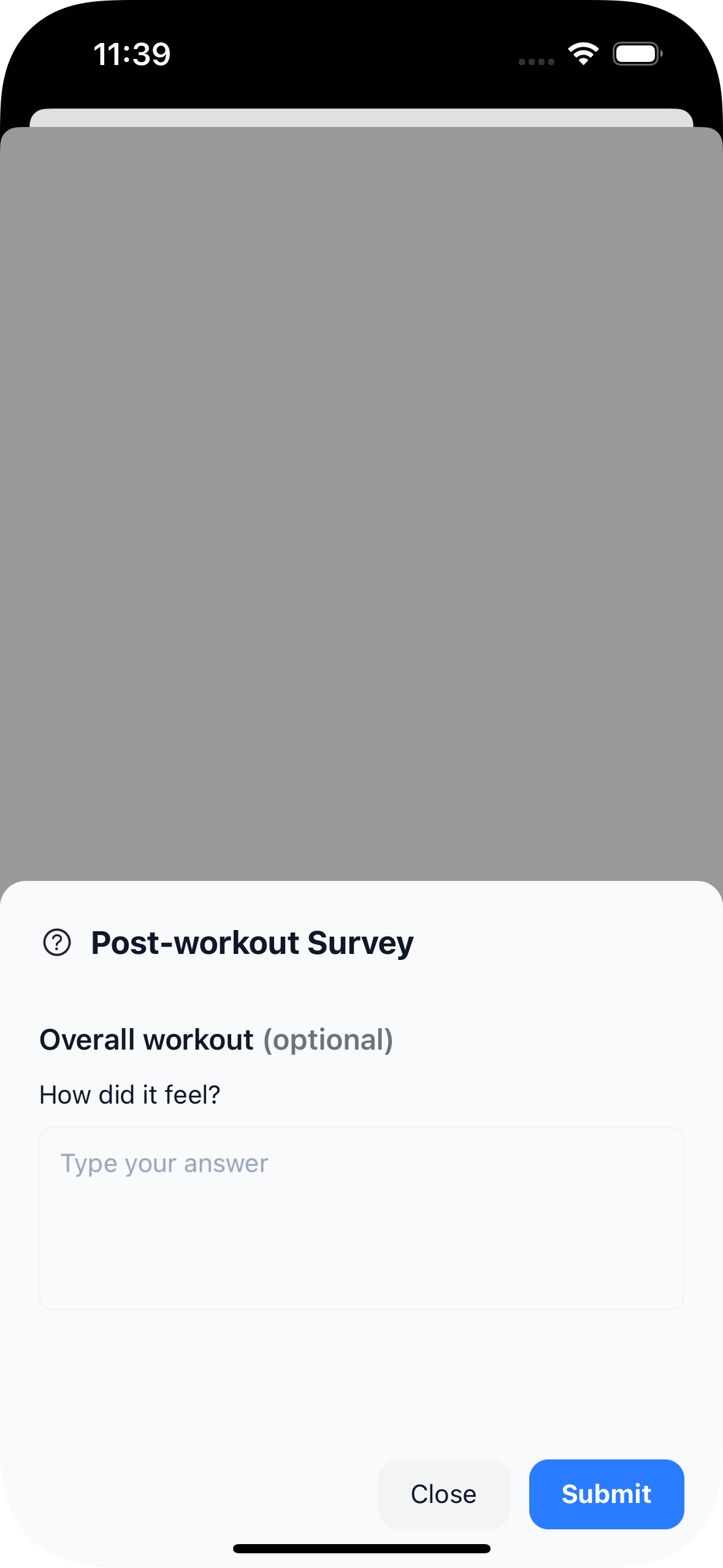
All responses are saved under the client’s profile, giving you better context when adjusting programs or checking in.
🎤 Voice Notes
Sometimes typing isn’t enough — with Voice Notes, you can leave quick audio instructions for a workout or specific exercise. This makes it easy to give coaching cues, motivation, or reminders in your own voice.
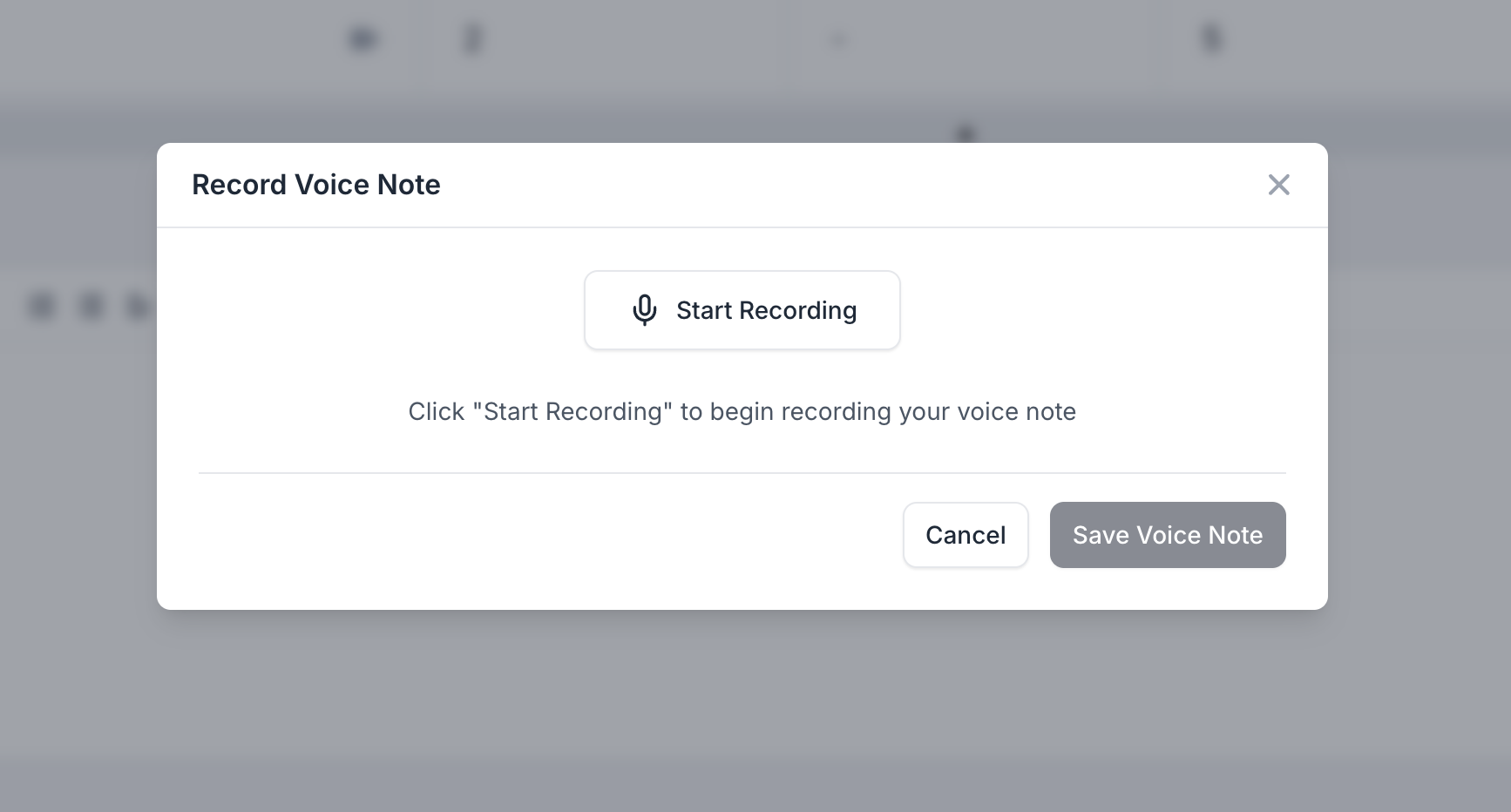
To record, click Start Recording, speak your message, and save it. Clients will see and play these notes directly in their mobile app while viewing the workout. Perfect for adding a personal touch and keeping your coaching engaging.
🔗 Supersets
Supersets let you group two or more exercises together so that they are performed back-to-back with little or no rest in between. This is especially useful for pairing complementary movements (e.g., core + mobility, push + pull) or saving time during a workout.
In FitEase, you can select multiple rows and click Group as Superset. The grouped exercises will appear under a purple “Superset” label in your builder.
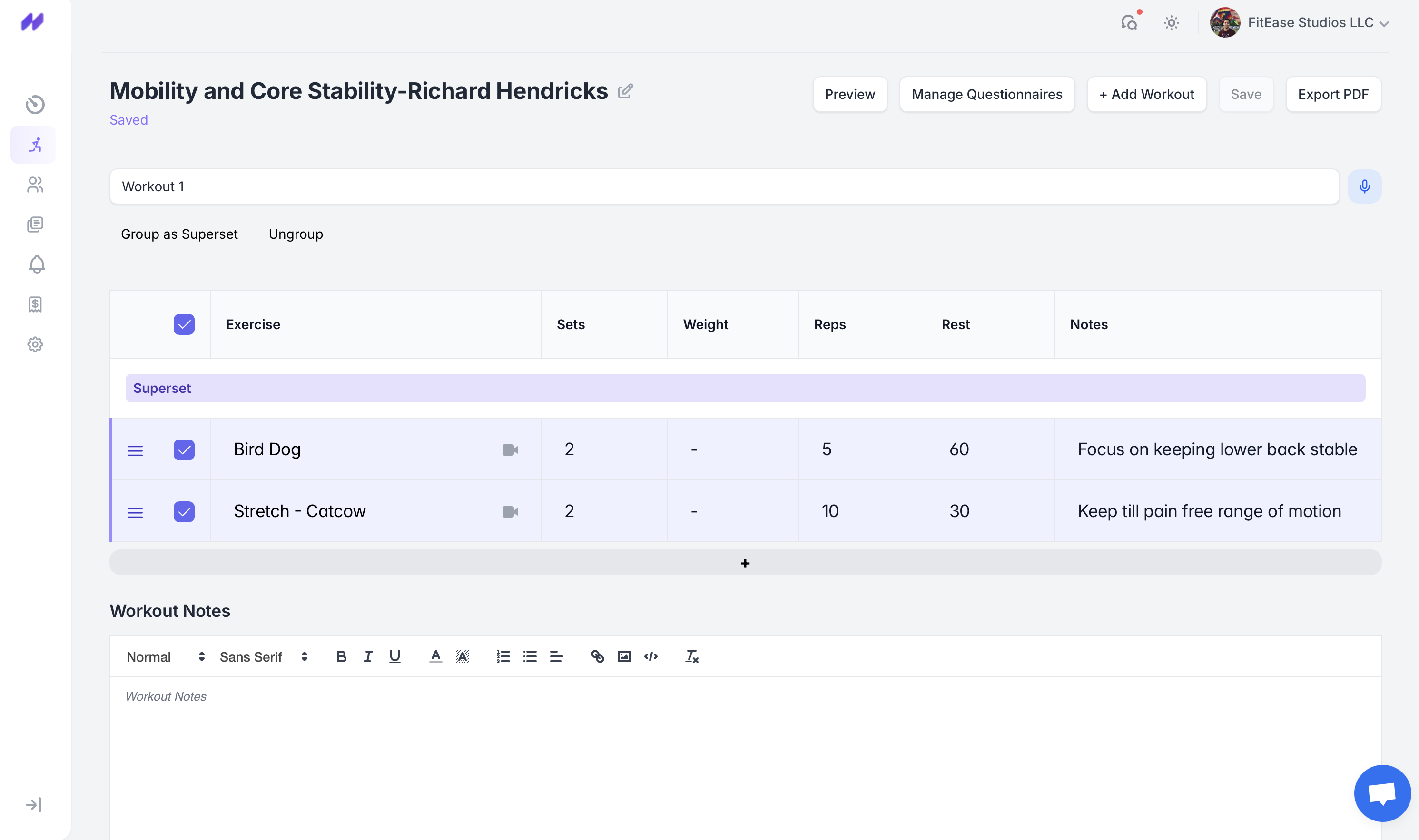
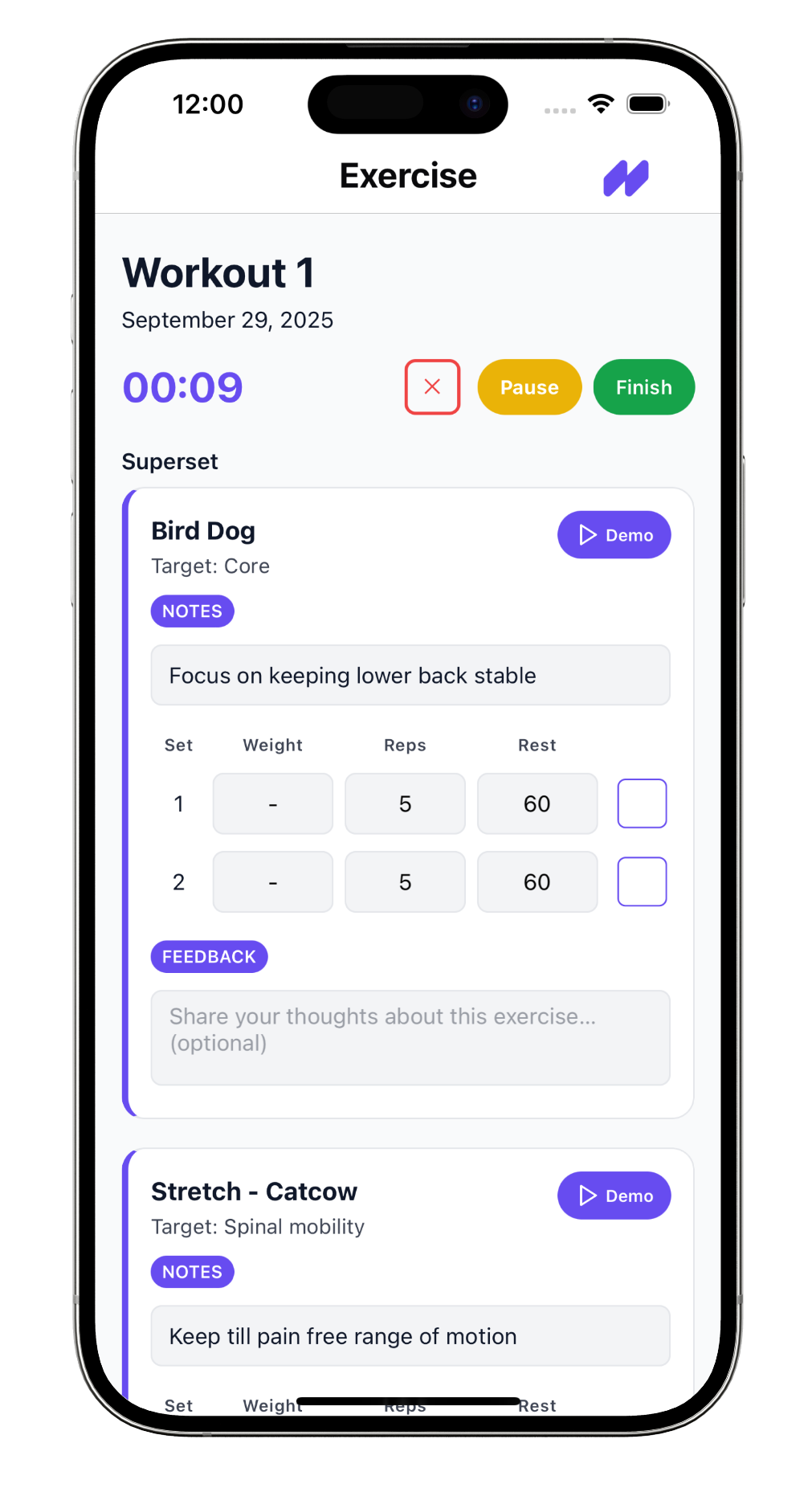
In the client app, supersets are clearly shown together so clients know to complete them as one sequence. Notes, rest times, and demo videos still display for each exercise inside the superset.